


HOMAVO
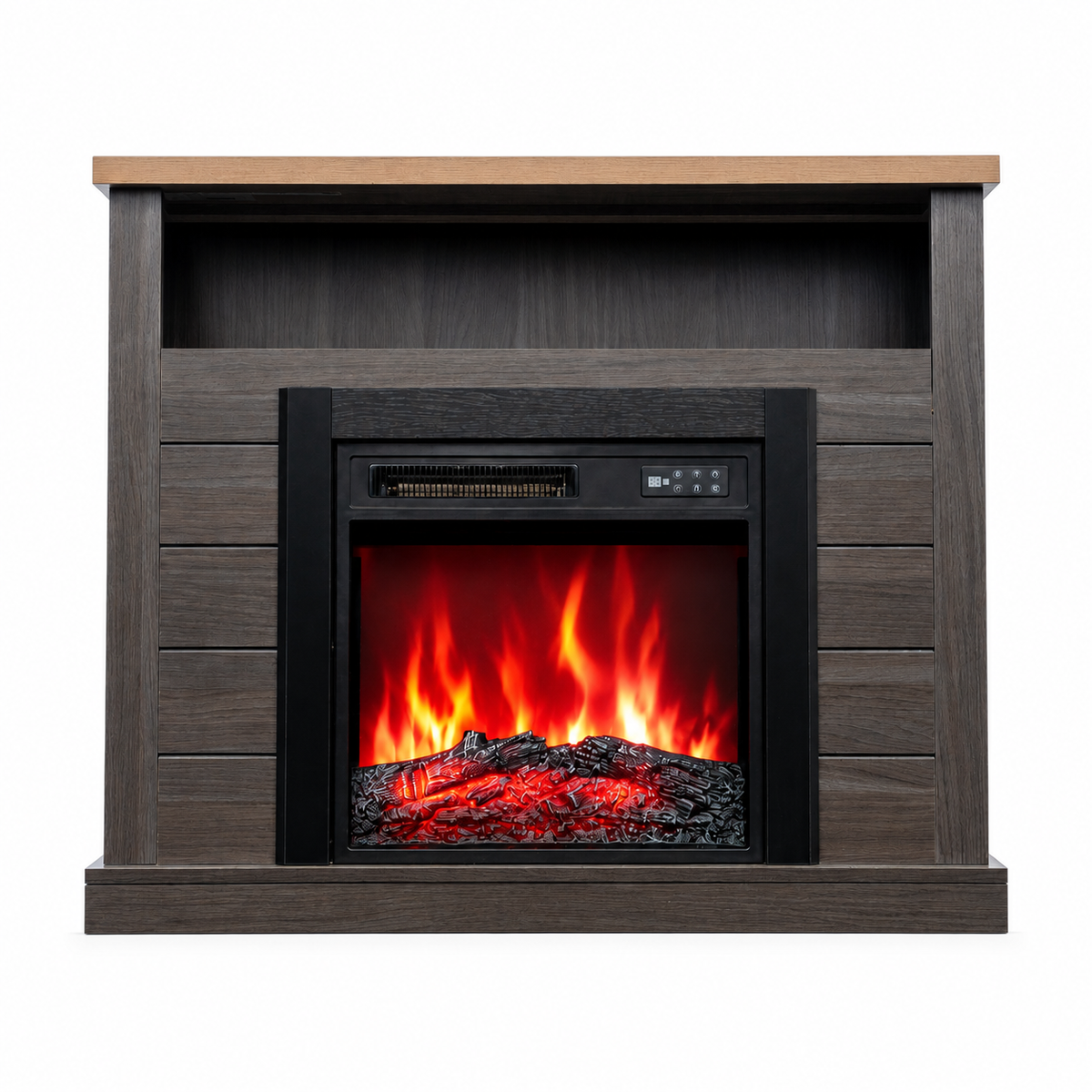
HOMAVO 18-Inch Gray Electric Fireplace with Mantel Cabinet, 900W/1800W 2-Heat Settings, 7-Color 3D Flame, Remote + Panel Controls, 1–8H Timer, with Storage Space
HOMAVO 18-Inch Gray Electric Fireplace with Mantel Cabinet, 900W/1800W 2-Heat Settings, 7-Color 3D Flame, Remote + Panel Controls, 1–8H Timer, with Storage Space
Couldn't load pickup availability
Fireplace + storage in one – heating and home décor combined
The 18-inch electric fireplace is integrated with a stylish gray fireplace cabinet, providing both supplemental warmth and a cozy flame effect. The open storage space is ideal for displaying décor, books and other items. This practical and decorative design fits well in living rooms, bedrooms, home offices and other indoor spaces.
900W/1800W dual heat settings – adjust the warmth to suit your needs
Choose between 900W and 1800W heating levels according to the room and your needs. The two heat settings provide greater flexibility for everyday use. The lower setting is suitable for gentle supplemental warmth, while the higher setting provides stronger heating for added comfort in the living room, bedroom, home office and other spaces.
7 flame colors with multiple settings – create your ideal atmosphere
The realistic 3D flame effect offers 7 flame colors, along with 5 brightness levels and 5 flame-speed settings. Easily adjust the flame to match the time of day, room atmosphere and personal preference. Even when the heat is not needed, the flame effect adds a warm and cozy touch to your home.
Remote + panel controls – timer and multiple safety features for added peace of mind
The fireplace can be conveniently operated with the infrared remote control or the buttons on the unit. The 1–8 hour timer lets you set the desired operating time. Overheat protection, automatic shut-off and child lock provide added safety and convenience for everyday use.
Compact cabinet with 50kg load capacity – ideal for a variety of spaces
The cabinet measures approximately 96.5 × 22 × 82 cm and is made of gray particle board. Its vertical, space-saving design makes good use of available space while taking up little floor area. The top surface supports up to 50kg, combining stability and practicality for living rooms, bedrooms, home offices and other spaces.
【Electric Fireplace Specifications】
Color: Black
Dimensions: 48.51 × 13.57 × 45.54 cm
Material: Plastic, tempered glass
Power supply: Corded
Power: 900W / 1800W
Voltage: 220–240VAC
Heating output: 3071 BTU/h / 6143 BTU/h
Controls: Panel buttons, remote control
Special features: Child lock, overheat protection with automatic shut-off
Timer: 1–8 hours
Flame and ember-bed colors: 7
Flame speed: 5 levels
Flame brightness: 5 levels
Ember bed: Log-effect
Certification: CE
【Fireplace Cabinet Specifications】
Color: Gray
Dimensions: 96.5 × 22 × 82 cm
Material: Particle board
Type: Freestanding
Top load capacity: 50 kg
Net weight: 15.8 kg
Gross weight: 17.5 kg
Package dimensions: 106 × 30 × 22 cm
【Package Contents】
1 × instruction manual, 1 × warning, product parts and accessory kit
Important:
This product is shipped in 2 separate packages (1 package for the electric fireplace and 1 package for the fireplace cabinet). Due to different shipping and delivery arrangements, the two packages may not arrive at the same time. If you have any questions about delivery or assembly, please contact us through the order page. We will be happy to assist you. Thank you for your understanding and cooperation!

Video
Question & Answer
How to connect the U8 pool robot to the APP?
We recommend performing a forced unbinding operation before placing the robot in the water, and then attempting to reconnect to the network. The specific steps are as follows:
1.Connect the charger and power on the device.
2.Key operation: Within 10 seconds after powering on, press and hold the power button for about 3 seconds. A successful operation will be indicated by a buzzer sound + all LEDs flashing simultaneously.
3.You can now reopen the APP to add the device.
If you have any further questions, please feel free to contact us.
How do I switch cleaning modes on the U8 pool robot?
Please first turn on the pool robot, then press the power button briefly to cycle through the four cleaning modes: Smart Path Planning, Floor Mode, Wall Mode, and Waterline Mode. If you have any further questions, feel free to contact us.
Can the U8 pool robot clean the water surface?
This pool robot is designed to clean the pool floor, walls, and waterline, but it currently does not support cleaning the water surface. If you have any further questions, feel free to contact us.